
13
Beyond Buttons: How to Choose the Perfect Industrial Touch Screen for Modern HMIs (3.5″ to 7″)
The line between consumer electronics and industrial equipment is blurring. Users who are used to Retina displays on their iPhones now expect the same visual clarity and touch responsiveness on their smart home thermostats, medical analyzers, and industrial control panels.
At LCDind, we have expanded our Industrial Touch Screens category to meet this demand. But with options ranging from high-speed MIPI interfaces to plug-and-play HDMI kits, how do you choose the right one?
In this guide, we break down our latest 3.5-inch to 7-inch lineup by application, helping you find the perfect match for your next HMI project.
1. The “Smartphone Aesthetic” for Compact Devices (High PPI)
If you are designing a handheld medical device, a smart knob, or a vertical wall thermostat, pixel density is everything. You need a screen that looks sharp even when viewed from 20cm away.
For these applications, we recommend IPS panels with MIPI interfaces. The MIPI interface allows for the high bandwidth needed to drive high resolutions (HD/FHD) smoothly.
- The “Retina” Contender:
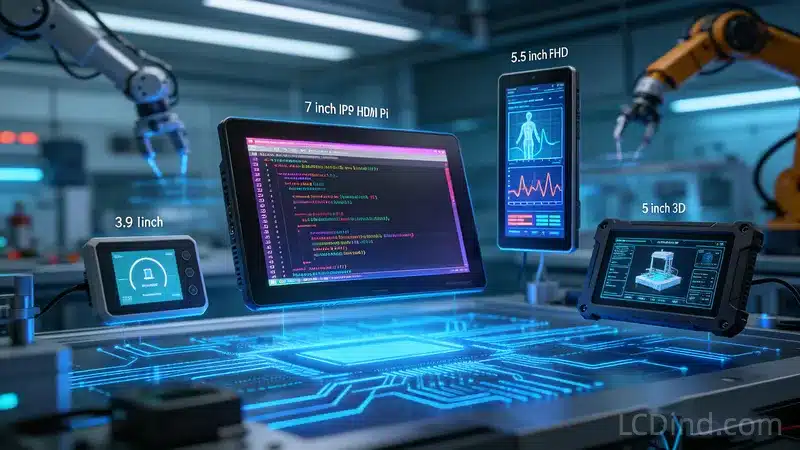
Our 5.5 Inch FHD Display (1080×1920) offers stunning clarity. With its HX8399 driver and integrated CTP, it is ideal for high-end medical imaging or video intercoms where detail is non-negotiable. - The Compact Powerhouse:
Need something smaller? The 3.5 Inch HD Module (720×1280) packs HD resolution into a tiny footprint. It’s perfect for premium instrumentation where space is tight but quality cannot be compromised. - For Smart Homes:
The 3.9 Inch IPS Module (480×800) features an In-Cell Touch structure, making it ultra-thin (3.36mm). This fits perfectly into slim 86-boxes or sleek wall panels.
Engineer’s Note: These screens require a processor with a hardware MIPI DSI interface (like STM32H7, Rockchip, or Raspberry Pi CM4). They are not suitable for basic 8-bit microcontrollers.
2. The Robust Choice for Machinery (High Brightness)
Not every project needs 1080p resolution. For 3D Printers, CNC Machines, or factory controllers, readability and ease of integration are more important than pixel density.
For these scenarios, the 5 Inch RGB LCD Display (800×480) is the industry standard.
- High Brightness: At 600 nits, it cuts through the glare of overhead factory lighting.
- Simple Interface: The 30-Pin RGB interface is easier to drive with standard MCUs compared to MIPI.
- Wide Compatibility: It is a direct drop-in replacement for many 3D printer screens and industrial HMI systems.
3. Rapid Prototyping & Makers (Plug & Play)
Sometimes, you just need a screen that works immediately without writing display drivers. Whether you are building a Raspberry Pi project, a PC secondary monitor, or a demo unit, HDMI is king.
Our Flagship 7 Inch Raspberry Pi Touch Screen Kit is the ultimate solution.
- Better Resolution: Unlike standard 800×480 screens, this IPS monitor runs at 1280×768.
- Driver-Free Touch: The capacitive touch works over USB (HID compliant) on Windows, Linux, and Raspbian.
- Audio Included: It features a 3.5mm audio jack, solving the “no sound” problem common in DIY builds.
Comparison: Which one is right for you?
| Model Size | Resolution | Interface | Best Application |
|---|---|---|---|
| 3.5 Inch | 720×1280 (HD) | MIPI (20-Pin) | High-End Handheld Meters |
| 3.9 Inch | 480×800 | MIPI | Smart Thermostats / IoT |
| 5.0 Inch | 800×480 | RGB (30-Pin) | 3D Printers / CNC / Industrial |
| 5.5 Inch | 1080×1920 (FHD) | MIPI (4-Lane) | Medical / Video Intercom |
| 7.0 Inch | 1280×768 | HDMI + USB | Raspberry Pi / PC Monitor |
Conclusion
The industrial display market has evolved. You no longer have to choose between durability and visual quality. Whether you need the razor-sharp density of our 5.5″ MIPI module or the rugged simplicity of our 5″ High Brightness screen, LCDind has the right solution.
Need the datasheet or initialization code for these screens?
Evidence & Documentation Status
- Public on this page: the guide compares industrial touch-screen choices by size, interface, display format and HMI integration scenario.
- Available for project review: LCDind can evaluate PCAP or resistive touch stack, cover glass thickness, bonding, controller interface, glove or liquid exposure, cable routing and host-board compatibility when the buyer provides project requirements.
- Not claimed without supporting records: the page does not guarantee universal glove operation, water rejection, EMC performance, impact rating or medical/industrial certification for every touch design.
For RFQ review, provide the required touch technology, operating environment, enclosure drawing, interface, cover lens specification, expected operator input method and annual quantity.


