13
2.4 Inch SPI TFT Display for Embedded Linux Control Panels
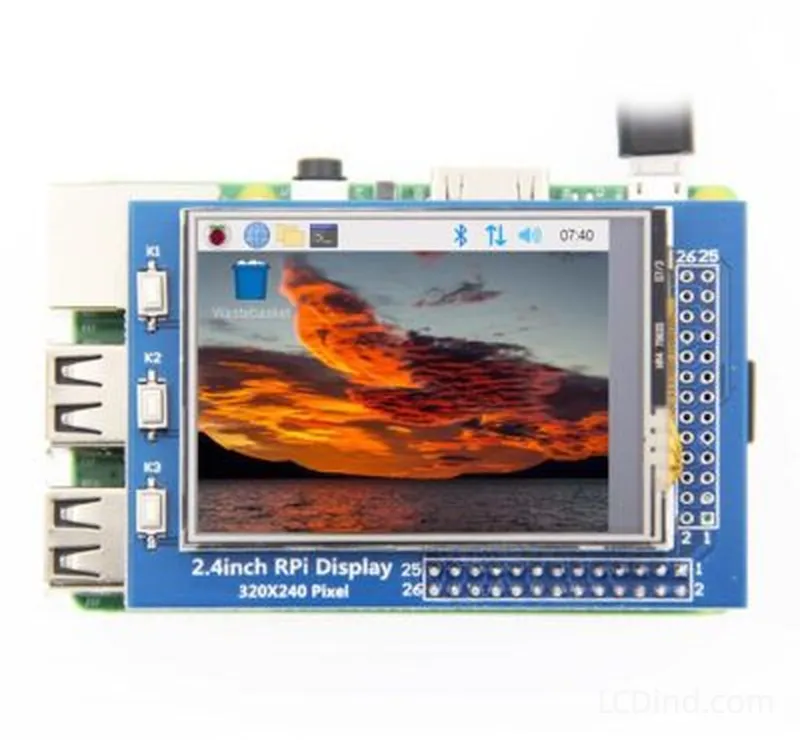
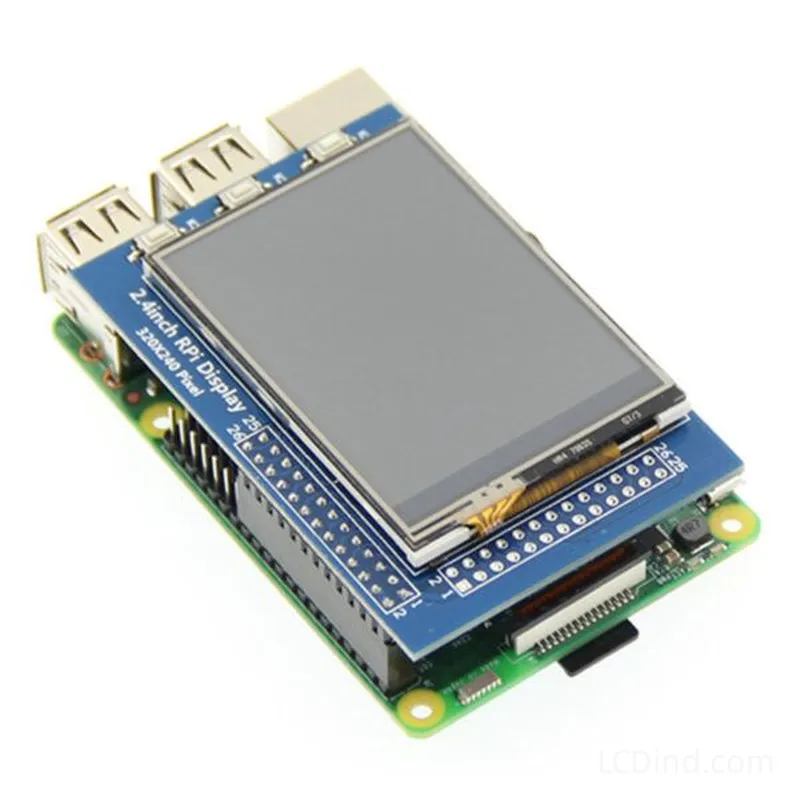
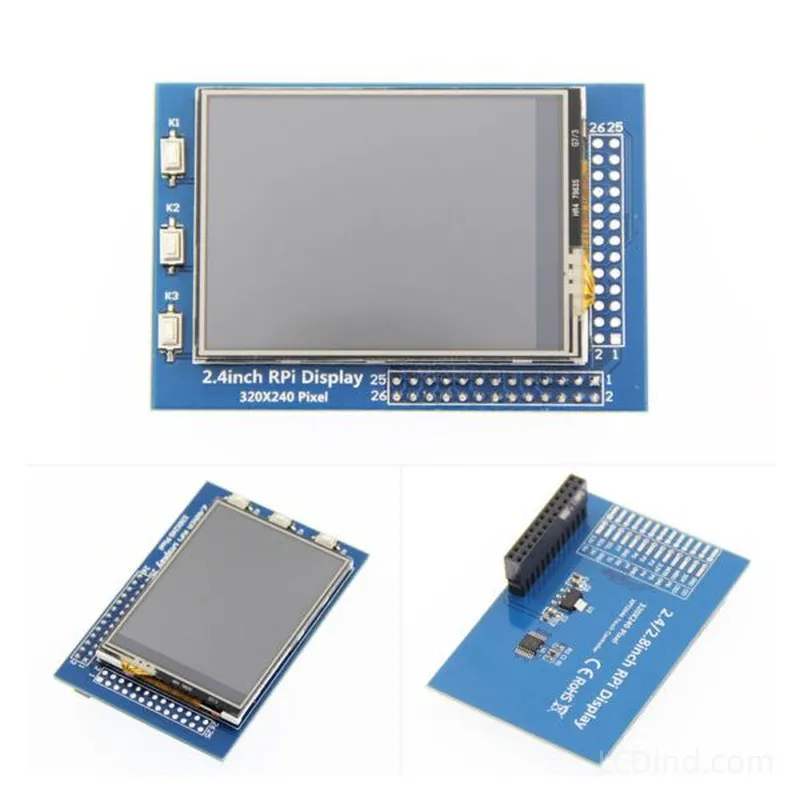
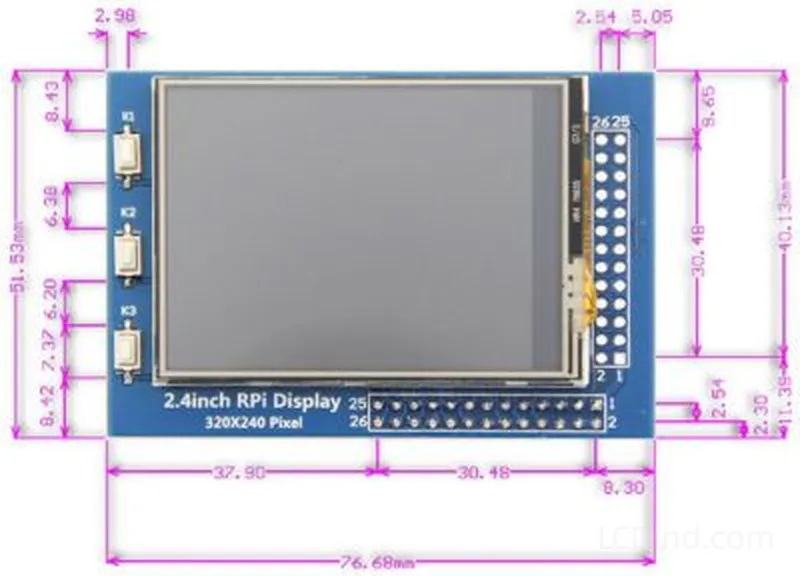
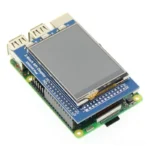
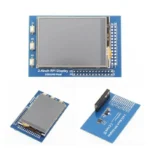
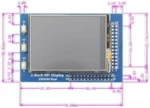
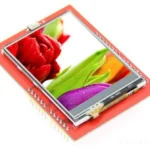
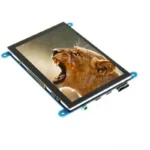
2.4 inch SPI TFT display for embedded Linux controls with 320×240 resolution, resistive touch panel, 51.53 x 76.68 mm outline and LCDind-DS20193 sourcing support.
Description
2.4 Inch 320×240 SPI TFT Display with Resistive Touch for Embedded Linux Control Panels
This 2.4 inch SPI TFT display is positioned for embedded Linux control panels where a compact screen and resistive touch input are required. The public page confirms 320×240 resolution, SPI interface, resistive touch panel, 51.53 x 76.68 mm outline dimension, 36.72 x 48.96 mm active area, and LCDind model LCDind-DS20193. Brightness, operating temperature, power supply, LED lifetime, and exact size row are not filled in the public specification table, so those values should be confirmed from datasheet or engineering review before they are used in a product drawing.
Confirmed Product Specifications
| Size | |
|---|---|
| Resolution | 320×240 |
| Interface | SPI |
| Brightness | |
| Touchscreen | Resistive touch panel |
| Operating Temp | |
| Outline Dimension | 51.53 x 76.68 mm |
| Active Area | 36.72 x 48.96 mm |
| Power Supply | |
| LED Lifetime | |
| LCDind Model | LCDind-DS20193 |
Use Case for Embedded Linux Panels
This module fits compact Linux terminals, maintenance tools, small machine settings panels, test equipment, laboratory instruments, service devices, and equipment front panels that need a low-cost local display with direct touch input. The 320×240 resolution is enough for setup menus, numeric values, short prompts, alarm lists, and technician workflows. It is not intended to replace a large HMI, but it can reduce hardware cost and panel space when the operator only needs essential controls.
Resistive Touch Considerations
Resistive touch remains useful in industrial equipment because it can work with gloves, stylus input, and simple pressure-based operation. The buyer should confirm touch tail routing, controller interface, calibration method, overlay durability, and expected operating force. If the device will be cleaned frequently or used in dusty environments, review the front cover, gasket, and sealing strategy. Resistive touch is practical, but it needs mechanical protection and calibration planning.
SPI and Linux Driver Review
SPI is convenient for compact boards, but Linux display performance depends on driver support, framebuffer method, bus speed, CPU load, and UI design. A configuration screen with mostly static elements is different from a live video or rapidly animated interface. Engineers should test the intended Linux distribution, kernel driver, touch driver, boot sequence, rotation, and calibration during sample evaluation. If the project uses Raspberry Pi, OpenWrt, Yocto, or a custom board, those details belong in the RFQ.
Mechanical Fit
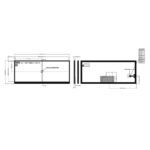
The confirmed 51.53 x 76.68 mm outline and 36.72 x 48.96 mm active area should be checked against the enclosure window, touch overlay, screw bosses, connector clearance, and FPC bend. Because brightness and temperature are not listed publicly, the sample test should include the real enclosure and power design. Do not assume the module can operate in a harsh or sunlight-readable environment until LCDind confirms the relevant optical and thermal data.
Procurement Guidance
For repeat production, ask LCDind to confirm datasheet revision, touch controller, cable and connector, display IC, driver reference, packing method, and lifecycle availability. If the project is replacing an existing 2.4 inch TFT, share the original module marking, photos, and interface details. Small TFT modules can look similar but differ in pinout, touch wiring, and initialization code.
Software Bring-Up Checklist
For embedded Linux, bring-up should start before the enclosure is finalized. Confirm the kernel driver, SPI mode, chip select, reset line, backlight control, touch input event mapping, calibration storage, and screen rotation. If the display is used for service menus, check boot-time availability because operators may need to see diagnostic information before the main application loads. Document the exact driver configuration that passes the sample test.
Touch Panel Acceptance
Because resistive touch is confirmed, the acceptance test should include stylus use, gloved operation, edge input, repeated calibration, and pressure variation. Resistive touch can be robust for industrial service panels, but front-stack design matters. If the finished product adds a protective overlay, the touch force and calibration may change. Evaluate the LCD and touch together with the final lens, gasket, and enclosure pressure.
Selection Boundary
This product is the better candidate when the project specifically needs SPI plus resistive touch for a small embedded Linux control panel. If the design does not need touch, a simpler no-touch 2.4 inch MCU module may reduce integration work. If the UI needs faster graphics, video, or a modern touch terminal feel, review RGB, MIPI, LVDS, or HDMI options instead. The final choice should follow the host processor and software stack, not only the diagonal size.
RFQ Checklist
- Linux platform, kernel/display driver plan, SPI speed expectation, touch calibration method, and UI rotation.
- Mechanical drawing showing the display window, resistive touch overlay, connector route, and available depth.
- Required brightness, operating temperature, power supply, and backlight lifetime, because these fields need confirmation.
- Annual quantity, sample schedule, packaging needs, and whether LCDind-DS20193 must be matched exactly.
Engineering Review Note
The specifications above are taken from the current public product page and should be used as selection inputs, not as a final integration approval. Before sample purchase or batch order, LCDind should review the drawing, host interface, optical stack, operating environment, quantity plan, and any customization request. This reduces the risk of selecting a display that matches the headline but fails the enclosure, firmware, brightness, or supply requirements of the finished equipment.
Engineering FAQ
Is resistive touch confirmed?
Yes. The public page lists a resistive touch panel.
Can it run a complex Linux GUI?
It should be tested with the actual Linux driver and UI. SPI modules are better for compact control screens than high-frame-rate graphics.
Which specs are missing from the public table?
Brightness, operating temperature, power supply, LED lifetime, and some size details should be confirmed before design freeze.
About brand
Source OEM / ODM LCD panels for OEM, replacement and industrial integration projects. Submit size, resolution, interface, brightness, lifecycle and annual quantity for review.
Engineering FAQ
Q: What is this 2.4 inch SPI TFT display best used for?
A: This 2.4 inch SPI TFT display is intended for embedded Linux control panels, embedded controllers, instrument panels, compact terminals, and OEM equipment programs that need stable display sourcing with 320x240 resolution.
Q: Which interface details should engineers confirm before sampling?
A: Use the SPI interface as the starting point. Before sample approval, confirm pinout, signal timing, voltage, cable length, connector direction, firmware support, and EMC layout with the host board.
Q: Can LCDind customize touch, cover glass, or bonding for this display?
A: Yes. LCDind can review resistive touch, capacitive touch, cover lens thickness, logo printing, AG/AR/AF coating, optical bonding, and controller matching. Current touch note: Resistive touch panel.
Q: How should brightness be selected for the final device?
A: The current brightness guidance is brightness should be confirmed against the lighting environment. Share indoor, vehicle, kiosk, outdoor shade, or sunlight-readable requirements so LCDind can review backlight, heat, bonding, and cover-glass options.
Q: What mechanical details matter before enclosure tooling?
A: Check outline 51.53 x 76.68 mm, active area 36.72 x 48.96 mm before releasing tooling. Buyers should confirm bezel opening, mounting stack, FPC bend radius, connector clearance, gasket pressure, and viewing area tolerance.
Q: What should be included in an RFQ for this 2.4 inch SPI TFT display?
A: Send annual forecast, trial quantity, target schedule, host platform, interface requirement, mechanical drawing, brightness target, touch plan, operating environment, and any replacement display dimensions.
Q: Can this display be used for outdoor or high-ambient-light equipment?
A: It can be reviewed for outdoor equipment, but final approval depends on brightness, thermal design, sealing, UV exposure, cover glass, and viewing angle. For direct sunlight, request high-brightness or optical-bonding review.
Q: How does LCDind identify this product during engineering review?
A: Use LCDind internal model LCDind-DS20193 together with size, resolution, interface, and mechanical drawing. Supplier-only panel codes are not needed for public sourcing discussions.
Shipping and Delivery
Q: What is the MOQ?
A: The MOQ for our products is 1 piece. We are able to provide support throughout the testing process.
Q: What about the delivery time?
A: We have products in stock and can ship them within 3 working days.
Q: Does your product have any warranty?
A: Yes, we offer a warranty that ensures the LCD will function properly upon receipt. However, please note that we do not provide guarantees for any damage caused during use.
Q: What’s your payment method?
A: We accept several payment methods, including T/T (bank transfer), and PayPal.
Q: What’s your shipping method?
A: Thank you for your inquiry. We offer various shipping methods to suit different needs.
For small quantity orders, we use UPS Air-Express, DHL, FedEx, TNT, or EMS Express service. These options are safe and fast.
For large quantity orders, we typically work with the buyer’s cargo agent in China. Alternatively, we can arrange for air or sea transportation.
Please let us know your preferred shipping method and we will do our best to accommodate your request.
Q: Do you offer custom solution?
A: Yes, we offer custom solutions if our standard products do not meet the buyer’s requirements. Please let us know your specific needs, and we will work with you to create a tailored solution that meets your business needs.
Q: How to Contact us?
A: Send your Inquiry Details in the Below, Click “Send” Now!