
13
Why a 14-Inch 4:3 LCD Monitor for Flight Simulator is the Ultimate Upgrade
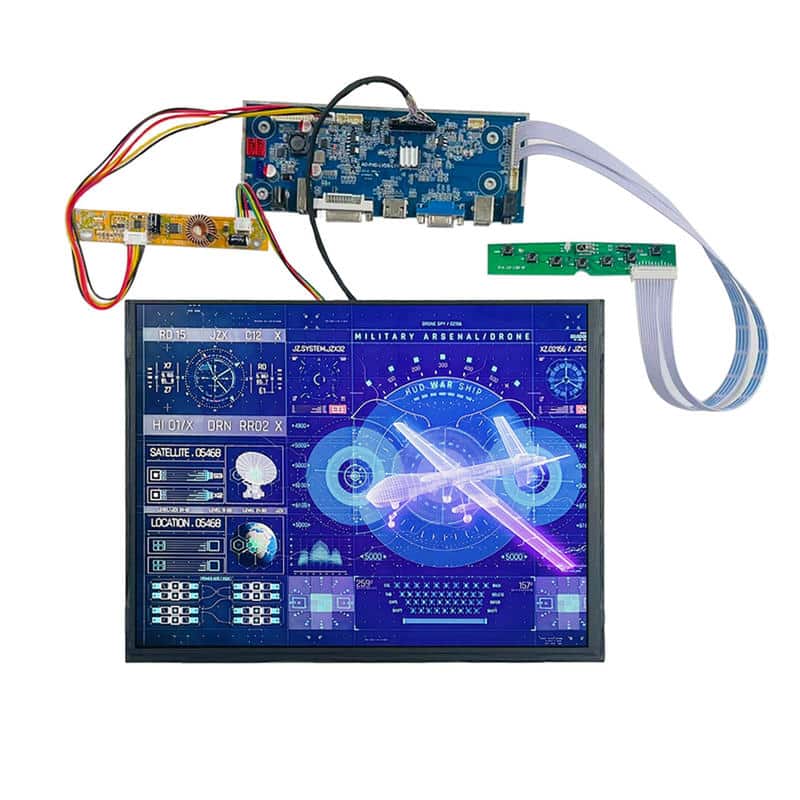
Are you tired of stretching your avionics instruments across a modern widescreen monitor? If you are building a realistic home cockpit or a professional training device, aspect ratio matters.
Most commercial displays today are 16:9, but real aircraft instruments—from Cessna gauges to Boeing PFDs (Primary Flight Displays)—are designed for square formats. This is why choosing the right 4:3 LCD monitor for flight simulator projects is critical for immersion.
In this guide, we will explain why the 14-inch 1600×1200 UXGA panel is the “Holy Grail” for simulator enthusiasts and how it outperforms standard consumer screens.
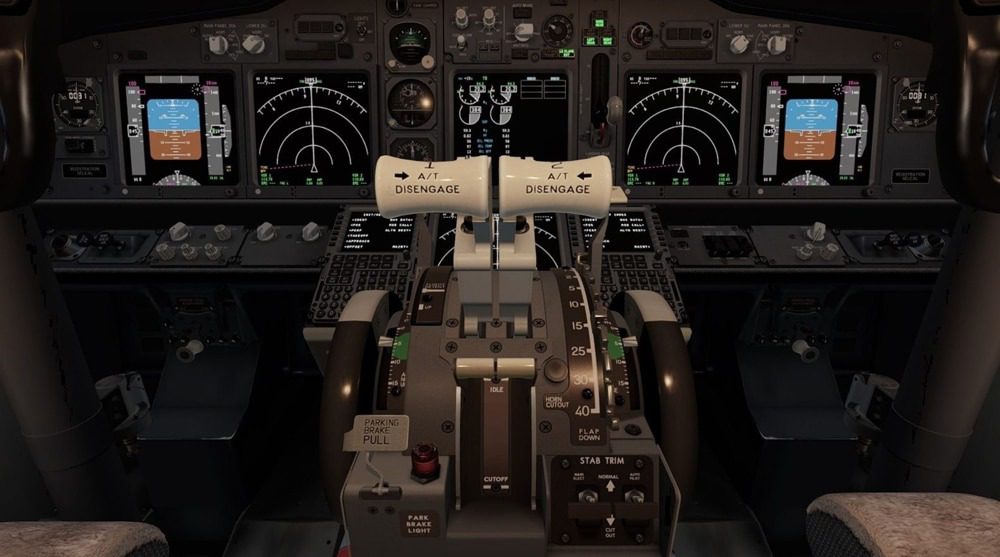
The Problem with Widescreen (16:9) in Avionics
When you try to fit a circular altimeter or a square Navigation Display (ND) onto a rectangular 16:9 screen, you face two issues:
-
Wasted Space: You get black bars on the sides.
-
Distortion: If you stretch the image, your gauges look oval instead of round.
A native 4:3 LCD monitor for flight simulator setups eliminates this problem. It mimics the physical dimensions of real-world glass cockpits, making it ideal for G1000 overlays or standby instrument clusters.
Key Features to Look for in a Simulator Display
Not all screens are created equal. For a cockpit that looks real under any lighting condition, you need industrial-grade specifications.
1. High Resolution & Sharpness
The 4:3 LCD monitor for flight simulator builds needs high pixel density. A resolution of 1600×1200 (UXGA) on a 14-inch screen delivers incredible sharpness. This ensures that small text on your GPS or checklist is readable without zooming in.
2. Sunlight Readability (High Brightness)
Real cockpits are bright environments. Standard office monitors only offer 250 nits of brightness, which looks washed out near a window. You should aim for 800 nits or higher. This ensures your instruments are glowing and visible even in direct sunlight simulation.
3. IPS Technology for Wide Viewing Angles
Whether you are the pilot or the co-pilot, you need to see the instruments clearly from the side. IPS (In-Plane Switching) panels provide 85-degree viewing angles from all directions, preventing color inversion that plagues cheaper TN panels.
Our Recommendation: The 14-Inch UXGA Industrial Module
At LCDind, we specialize in factory-direct display solutions. For serious simmers, we highly recommend our specific avionics-grade module.
It is a perfect drop-in solution featuring:
-
Native 4:3 Aspect Ratio: No more wasted bezel space.
-
1600×1200 Resolution: Crystal clear text.
-
800 Nits Brightness: Vivid readability.
-
Included Driver Board: HDMI/VGA ready for instant connection to your PC.
Check out the product here: 14 Inch High Brightness TFT LCD – 1600×1200 IPS Module
Integration Tips for Cockpit Builders
Installing a 4:3 LCD monitor for flight simulator panels requires planning.
-
Bezel Mounting: Our 14-inch module comes with an industrial open-frame design, making it easy to mount behind your custom laser-cut instrument panel (MIP).
-
Cable Management: Since the driver board is included but separate, you can tuck the HDMI cables away to keep your setup clean.
-
Software: This screen is fully compatible with Microsoft Flight Simulator (MSFS 2020), X-Plane 12, and Air Manager.
Conclusion
Don’t let a widescreen monitor break your immersion. Upgrading to a specialized 4:3 LCD monitor for flight simulator use is the single best investment you can make for visual realism.
Ready to build your dream cockpit?
Frequently Asked Questions
Why is a 4:3 aspect ratio better for flight simulators?
4:3 aspect ratio closely matches the square shape of aviation instruments and glass cockpit displays (like the G1000), utilizing the entire screen area without black bars or image stretching.
Can I use this 14-inch display with X-Plane and MSFS?
Yes, as long as your computer has an HDMI or VGA output, this 4:3 LCD monitor for flight simulator acts as a standard secondary display. You can drag and drop instrument windows directly onto it.
Do I need a special power supply for the driver board?
Our kit typically requires a standard 12V DC power adapter (often sold separately or included depending on the bundle). Please check the product page for voltage details.


