13
LCD Round Display Circular Module 1.53 inch
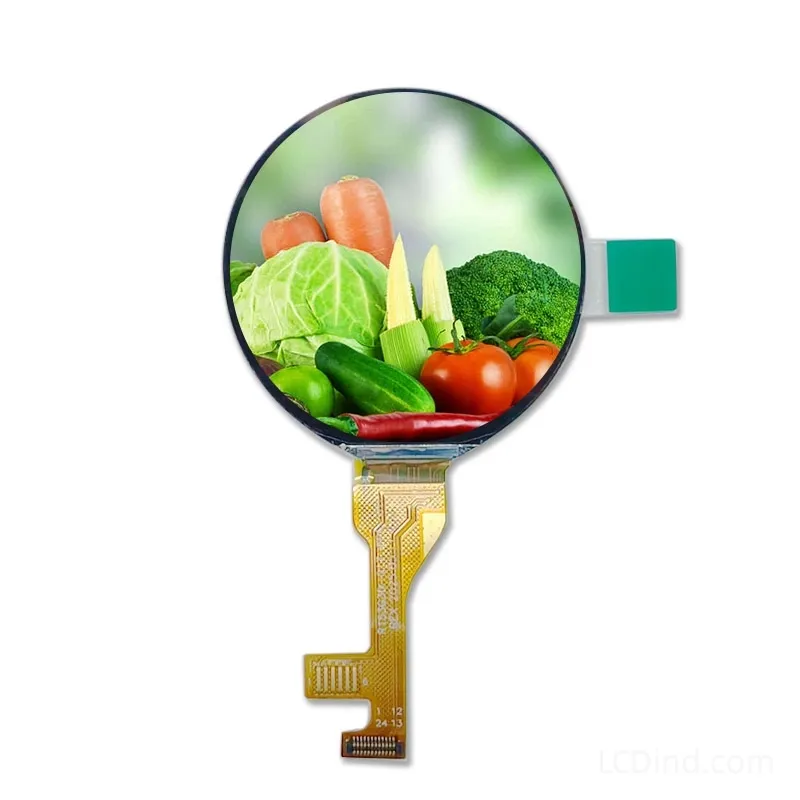
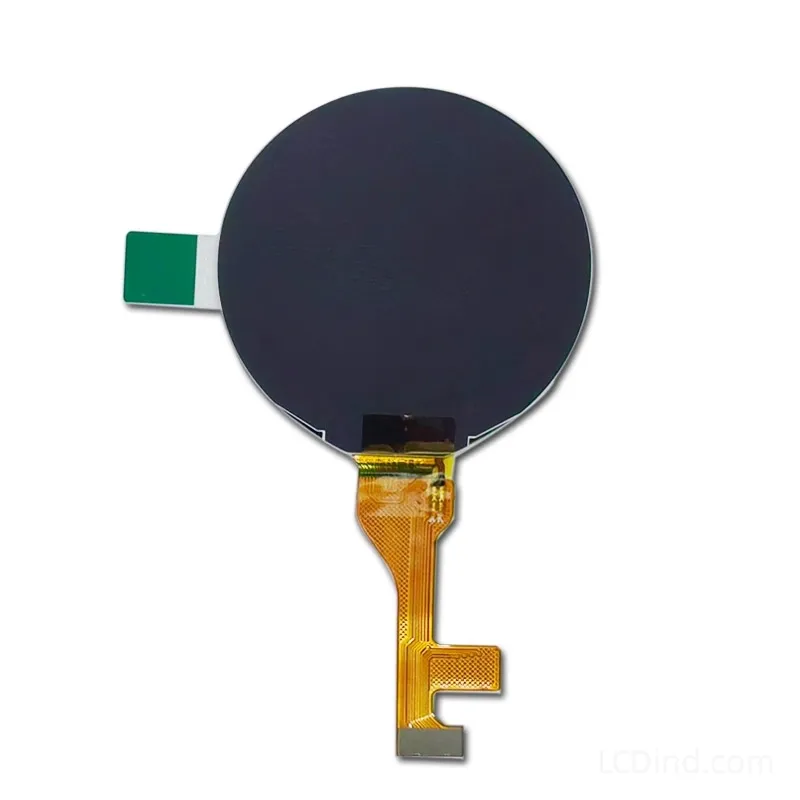
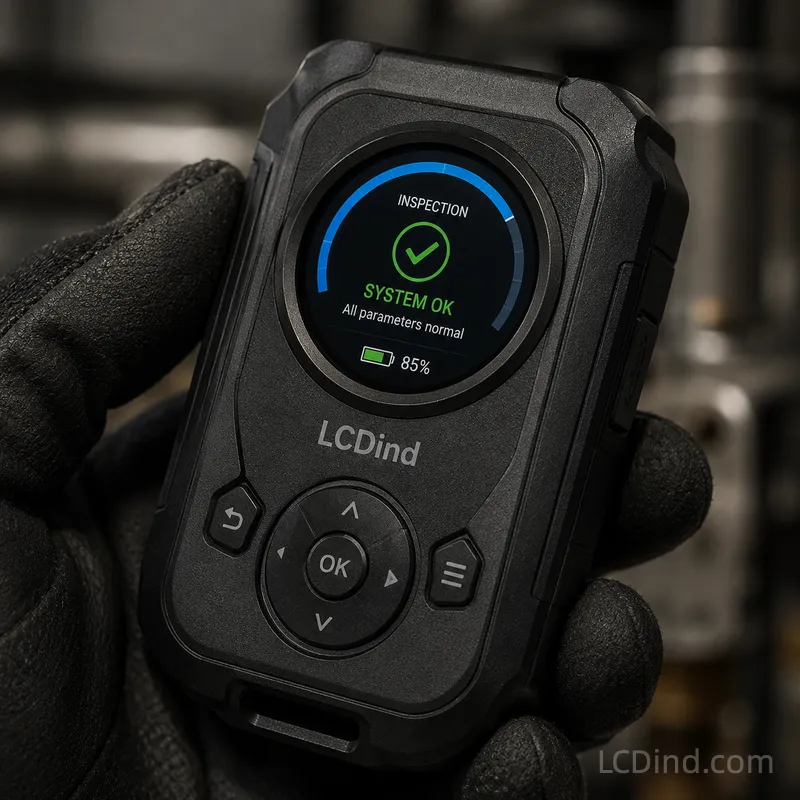
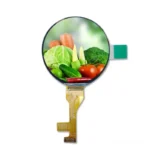
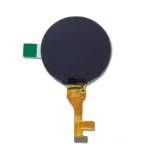
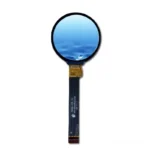
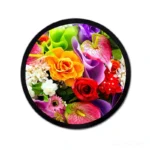
1.53 inch IPS round LCD module with 366×366 resolution, SPI interface, 300 nits brightness, 38.16×38.16 mm active area and no touch in the standard configuration.
Product Attributes
| Brand | OEM / ODM |
|---|---|
| Size | 1.53 inch |
| Resolution | |
| Interface | SPI |
| Brightness | Standard (200-450 nits) |
| Panel Type | IPS |
| Operating Temp | Industrial (-20 ℃ to +70 ℃) |
| Touchscreen | No Touch |
| Viewing Direction |
Description
1.53 Inch 366×366 SPI Round IPS LCD for Compact Control Interfaces
This 1.53 inch circular LCD module is suited to compact control knobs, appliance dials, charger indicators, instrumentation status points and small industrial interfaces where a round UI is part of the product design. The public specification lists 366×366 resolution, SPI interface, IPS wide viewing, 300 nits brightness, no touch in the standard configuration, -20 to 60 °C operating temperature, -20 to 70 °C storage, 40.47×41.87×1.56 mm outline, 38.16×38.16 mm active area, 500:1 contrast, 3.3V power supply, 20000-hour LED lifetime and panel model R153G3D-003. It is not a general-purpose information display; it works best when the UI is intentionally concise.
The 366×366 resolution gives more detail than many very small round modules, but the physical viewing area remains limited. The engineering team should treat it as a state-and-value display: one main number, mode icon, progress arc, short label, warning symbol or setpoint. Dense menus, long messages and complex charts are poor fits. If the product will be localized into multiple languages, test the longest translated labels before approving the graphic design. Real-size UI testing is essential because enlarged mockups can hide legibility problems.
SPI interface is practical for small embedded controls because it uses fewer signal lines than RGB or MIPI. It is usually appropriate for partial updates, icons and slowly changing values. The trade-off is display bandwidth. The host MCU, SPI speed, frame-buffer strategy, command set, voltage and connector must be reviewed before sample approval. If the interface requires smooth animation or frequent full-screen transitions, LCDind should review whether the host can support the required refresh behavior.
Mechanically, the active area is 38.16×38.16 mm while the full outline is 40.47×41.87×1.56 mm. In a small round product, this tolerance gap matters. The front lens, printed border, gasket, adhesive, housing pocket, FPC route and connector clearance must be checked together. If the display sits inside a rotating knob, avoid twisting the FPC or pressing on the active region. If it is mounted behind a curved cap, check optical distortion, reflection and image centering with the actual cover.
The 300-nit brightness and IPS wide viewing are useful for indoor controls and equipment panels viewed from several angles. They do not make the display sunlight readable. A dark lens or glossy cover can reduce readability. For industrial use, test the display under the actual lighting condition and at the operator’s normal viewing distance. If the display will be mounted in a charging device, appliance or control head, include the front material and viewing angle in the RFQ.
The no-touch configuration fits many round controls because the input is often a rotary knob, push button, encoder or external keypad. Adding touch to a small circular module changes cover-lens design, sensor layout, controller wiring and software behavior. If touch is required, it should be quoted as a defined assembly rather than assumed as a minor option.
RFQ Checklist
- Application type: control knob, appliance dial, charger indicator, compact HMI or instrument status point.
- Host MCU, SPI speed target, voltage, command expectations and connector preference.
- Real-size UI mockup with main value, icon, alarm state and longest label.
- Mechanical drawing for window, lens, printed border, gasket, module pocket and FPC route.
- Input method and whether touch is excluded or required as a custom stack.
- Sample quantity, annual forecast, production schedule and inspection requirements.
Engineering FAQ
Is this larger than the 1.28 inch round module? Yes. It provides a larger 1.53 inch round format and 366×366 resolution, but mechanical drawings still decide interchangeability.
Can it show a full menu? It can show simple menus, but it is better for values, icons and short states than for text-heavy navigation.
Does SPI limit performance? SPI is suitable for many compact controls. Fast animation depends on host bandwidth and firmware strategy.
Is touch included? No touch panel is listed in the standard configuration.
What is the main production risk? Mechanical centering, FPC routing and front-lens tolerance are the common risks in small round assemblies.
Engineering Review Note
Use this 1.53 inch SPI round IPS LCD when the product needs a compact circular display with a clean state/value interface. Send LCDind the host SPI details, mechanical drawing, lens plan and UI mockup before quotation.
Prototype Validation and Production Boundary
Before approving this 1.53 inch module, evaluate the display in the real product housing, not only on a bench adapter. Confirm image centering, front-lens reflection, border coverage, FPC route, adhesive width and whether the display remains readable when the operator’s hand is near the control. If the display is part of a rotating knob, test cable strain during repeated movement and check whether the display or cover lens experiences pressure during assembly.
The purchasing scope should identify whether LCDind is quoting the bare round LCD, an FPC or connector adaptation, a front-lens stack, or a complete subassembly. Small round displays often look similar across sizes, so procurement should freeze the exact model R153G3D-003, drawing, connector details, sample approval photo and inspection criteria. If a product family also uses 1.28 inch or 4 inch round displays, keep separate records so the wrong circular module is not selected during reorder.
For supplier communication, avoid describing the requirement only as “small round LCD.” State the 1.53 inch size, 366×366 resolution, SPI interface, no-touch baseline, outline, active area and target front design. This gives LCDind enough detail to separate this module from similar circular displays in the same product family.
Additional information
| Brand | OEM / ODM |
|---|---|
| Size | 1.53 inch |
| Resolution | |
| Interface | SPI |
| Brightness | Standard (200-450 nits) |
| Panel Type | IPS |
| Operating Temp | Industrial (-20 ℃ to +70 ℃) |
| Touchscreen | No Touch |
| Viewing Direction |
About brand
Source OEM / ODM LCD panels for OEM, replacement and industrial integration projects. Submit size, resolution, interface, brightness, lifecycle and annual quantity for review.
Engineering FAQ
Q: What type of equipment project is this 1.53 inch Round TFT LCD Display 366x366 SPI suitable for?
A: This lcd round display is best considered for industrial dials, smart appliance controls, charging equipment, instrumentation panels, and compact control knobs. LCDind recommends confirming annual quantity, enclosure design, host interface, brightness target, and operating environment before moving from samples to batch orders.
Q: What interface should the OEM mainboard support?
A: The SPI interface is useful for compact instruments and MCU products where board space and pin count are more important than high refresh bandwidth. Please confirm pin assignment, connector type, voltage, timing, cable direction, and controller-board requirements during engineering review.
Q: Is this display suitable for outdoor or high-ambient-light equipment?
A: The 300 nits brightness level is best positioned for indoor equipment, control panels, and embedded terminals used in controlled lighting. For demanding outdoor or sunlight-readable equipment, LCDind can review target nits, AG/AR cover glass, optical bonding, thermal design, and backlight lifetime for the production environment.
Q: Can LCDind support touch, cover glass, or module customization for batch production?
A: The standard configuration is supplied without a touch panel, which is useful for display-only devices or projects that plan a separate keypad, cover lens, or custom touch stack. LCDind can evaluate capacitive touch, resistive touch, cover-glass thickness, bonding, coating, FPC changes, cable length, and production consistency requirements.
Q: What information should procurement provide for a factory quotation?
A: Please share target application, annual forecast, first order quantity, host interface, mechanical drawing, brightness requirement, operating temperature -20 to +60°C, certification needs, delivery schedule, and whether pre-production samples are required.
Shipping and Delivery
Q: What is the MOQ?
A: The MOQ for our products is 1 piece. We are able to provide support throughout the testing process.
Q: What about the delivery time?
A: We have products in stock and can ship them within 3 working days.
Q: Does your product have any warranty?
A: Yes, we offer a warranty that ensures the LCD will function properly upon receipt. However, please note that we do not provide guarantees for any damage caused during use.
Q: What’s your payment method?
A: We accept several payment methods, including T/T (bank transfer), and PayPal.
Q: What’s your shipping method?
A: Thank you for your inquiry. We offer various shipping methods to suit different needs.
For small quantity orders, we use UPS Air-Express, DHL, FedEx, TNT, or EMS Express service. These options are safe and fast.
For large quantity orders, we typically work with the buyer’s cargo agent in China. Alternatively, we can arrange for air or sea transportation.
Please let us know your preferred shipping method and we will do our best to accommodate your request.
Q: Do you offer custom solution?
A: Yes, we offer custom solutions if our standard products do not meet the buyer’s requirements. Please let us know your specific needs, and we will work with you to create a tailored solution that meets your business needs.
Q: How to Contact us?
A: Send your Inquiry Details in the Below, Click “Send” Now!